


























About Traffic Jam 3D
Traffic Jam 3D is about driving on busy roads where it’s not only about pumping the gas pedal. The cars keep coming, and the space in between is short, and you gotta learn how to thread the needle and not hit anything.
The longer you drive, the faster you go, the less predictable the overtaking manoeuvres become.
The problem is right in front of you
Traffic Jam 3D doesn’t leave you much time to enjoy the view. A quick lane shift forces you to adjust direction immediately.
You have to be both fast and in control to get a decent score. Driving fast means covering the distance faster, but one crash can turn the whole trip into a mess.
What’s it like to play a game?
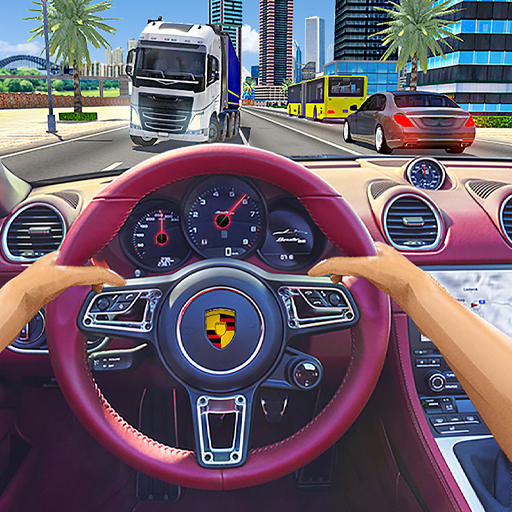
Speed up and look at the traffic ahead of you . If a space opens, change lanes to go around and get into a safe position as soon as you can.
Make use of stretches of less traffic along the way to boost your pace. If there is a lot of traffic, slow down a little and then you will have more time to react to the situation.
Controls
- A/D: Left/Right.
- Left/Right Arrow Keys: Turn Left/Right.
- W/Up Arrow Key – Accelerate.
- S/Down Arrow Key Brake.
- Space: Handbrake or special action if supported
5 Tips To Improve Your Driving
1. Don't follow too closely
Give yourself enough room so that you can be able to change lanes if the automobile in front of you slows down.
2. Overtake if there is a gap
Don’t try to squeeze into a really tiny gap merely to overtake another automobile.
3. Look a bit further down the road
Seeing a few cars in front of you helps you anticipate situations rather than react at the last second.
4. Not everything about speed
It is generally better to have a continuous low impact ride rather than constantly accelerating and then retaking the situation.
5. Adapt to the rhythm of traffic
When you play Traffic Jam 3D, after a few spins you will know when to change lane and speed up.
Go ahead and try the Undead Corridor game!